
You can restore your existing wallet into NUFI's non-custodial wallet interface to manage assets, stake Cardano, Solana and Flow, use DApps, swap tokens, and more.
NUFI supports Bitcoin, Solana, Cardano, Ethereum and EVM chains, SVM chains (Eclipse and SonicSVM) and Flow. You can restore your assets on these chains in three ways:
- using a 12, 15 or 24-word seed phrase or SLIP39 recovery shares
- by pairing a hardware wallet
- by uploading a wallet backup file (created using NUFI)
This guide focuses on restoring a wallet using a seed (aka mnemonic or recovery) phrase.

If you're using a hardware wallet, you can find device-specific help guides here, and information about SLIP39 recovery shares here. Information about wallet backup files can be found here.
Step 1: Open NUFI wallet
Step2: Restore Wallet
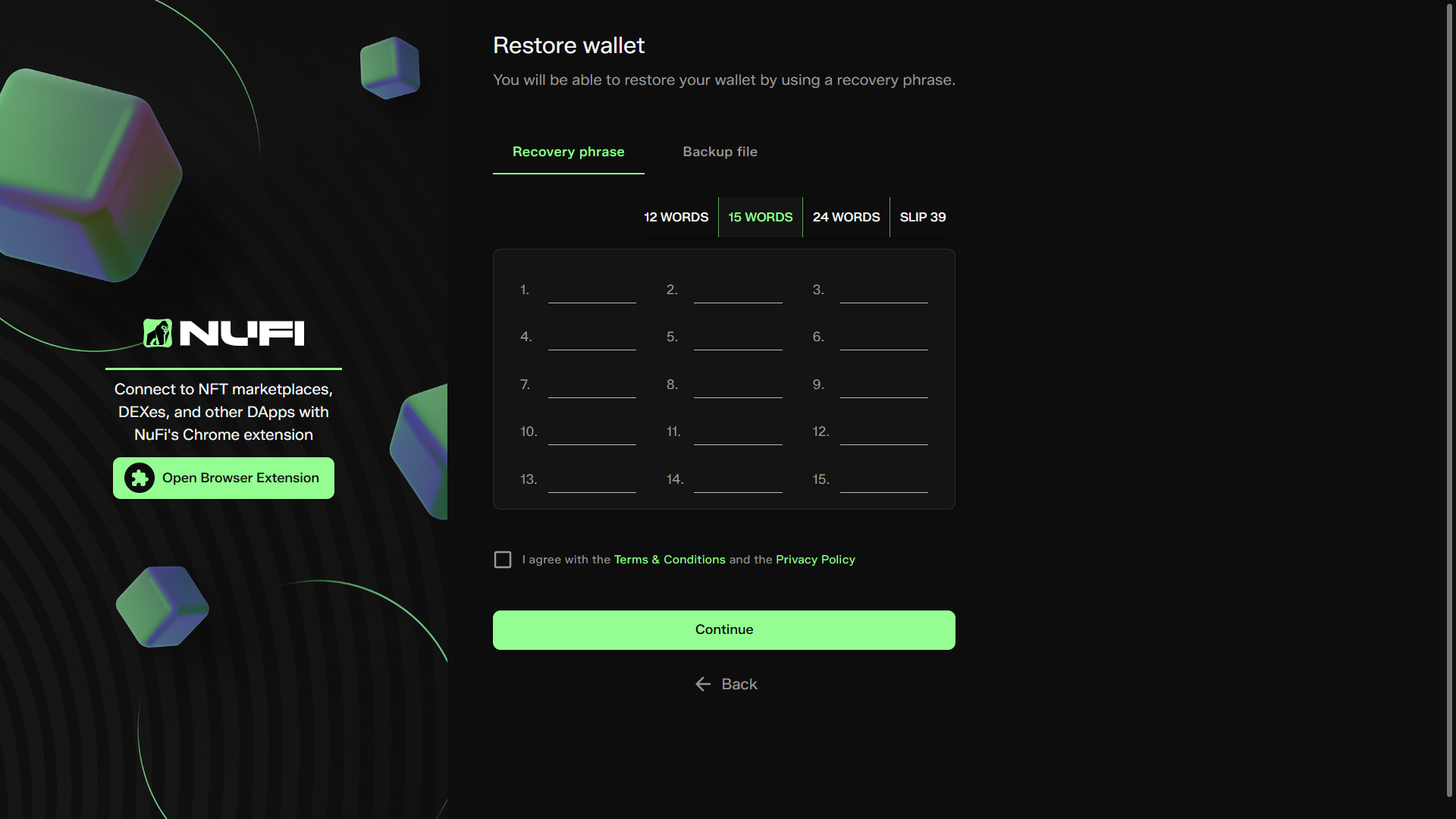
Open NUFI and select 'Restore Wallet'; you'll see the screen below.
- Select the length of your seed phrase and then enter each word using lowercase letters.
Step 3: Choose a wallet name and set a password
- Log in quickly when you open NUFI
- Create multiple wallet profiles (you can choose which wallet you want to log in to each time you open NUFI)
Step 4: Enable blockchains
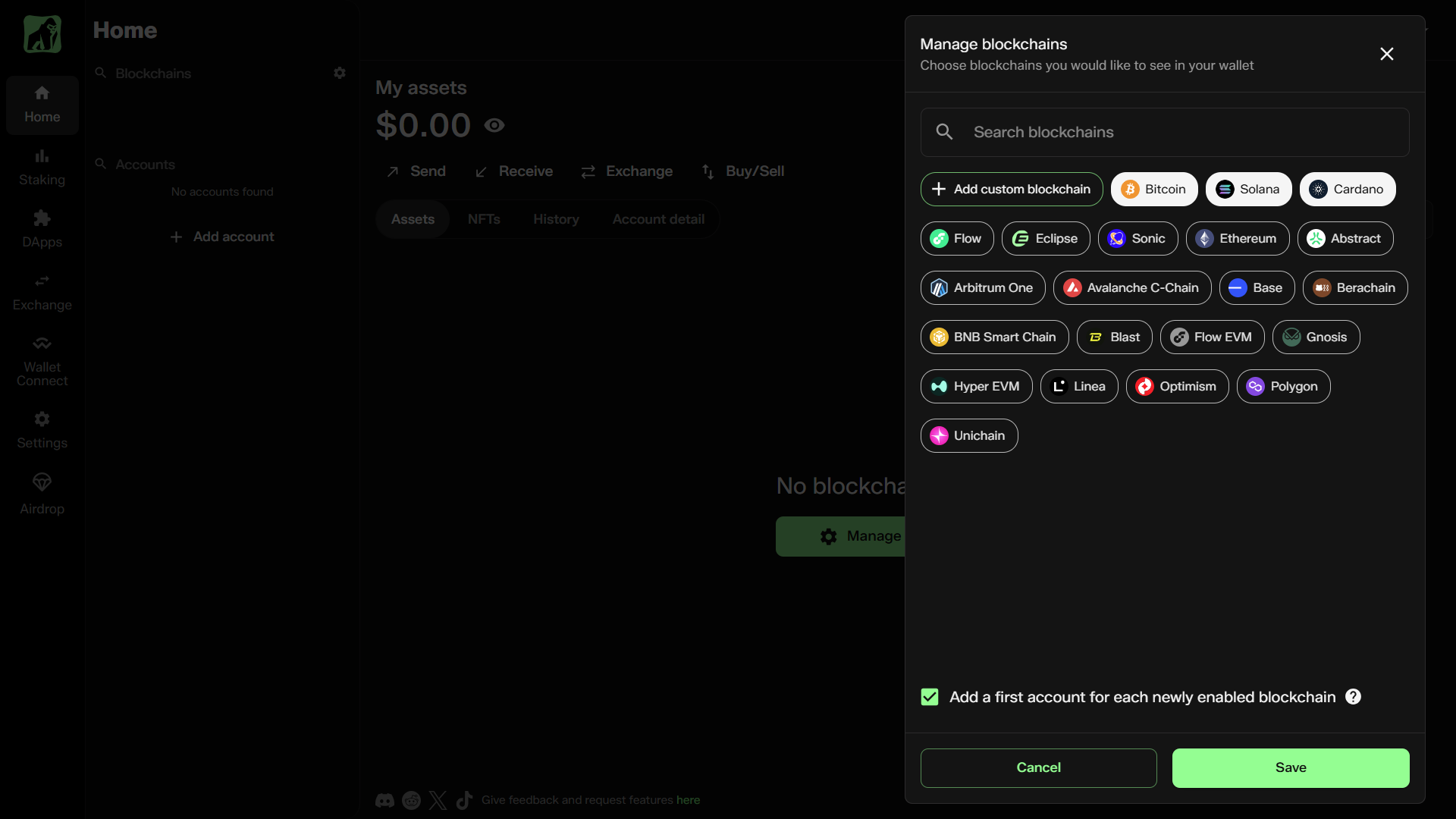
When your wallet opens, you'll see the different blockchains that NUFI supports (with an option to custom-add EVM chains). Select which blockchains you want to enable.
- You'll restore your accounts for each selected chain.
- If you don't have assets on a selected chain, an account will be created (derived using your seed phrase); your seed phrase is the backup for all newly-created accounts.
Step 5: (Optional) Add more accounts
If an account isn't restored as expected, you may need to add it manually:
- On the left side, at the bottom of the accounts list, click Add Account
- Select the first option, "Add new account"
- Select a blockchain
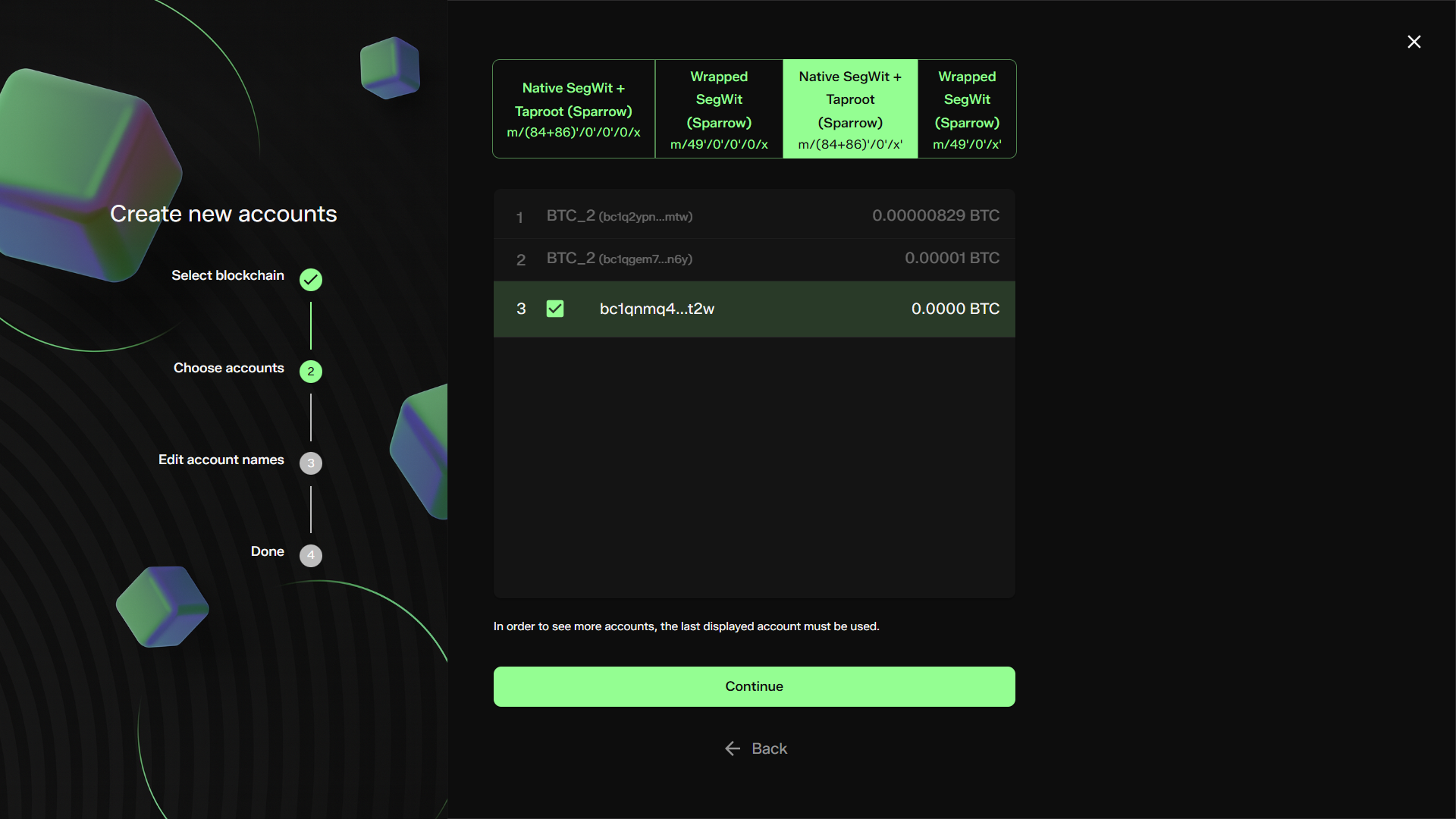
You'll see a list of available accounts that can be added. Depending on the blockchain, you can view different derivation paths (which generate different accounts from the same seed phrase) by clicking the tabs at the top:
Step 6: (Optional) Import tokens
If you restore an account but some tokens aren't visible, you may need to import the token manually before it's displayed in your wallet. Learn how to do this here.