
At NUFI, we’re onboarding crypto beginners with a stress-free way to create a wallet: log in with a social account like Google to instantly create a non-custodial wallet.
Non-custodial means that you alone can access your wallet; you own the crypto in your wallet entirely and nobody but you can control it. There's no middleman.
You can use NUFI to manage crypto on Bitcoin, Solana, Cardano, Ethereum and EVM blockchains, SVM chains (Eclipse and SonicSVM) and Flow.
- To create a wallet using a social account, you'll need a Google, Twitter, Facebook, or Discord account.
- You can create a wallet backup (a 24-word phrase) which you can use to restore your wallet in the event that you lose access to your social account.
- You can enable 2FA in your social account's privacy settings to add another layer of protection.
Step 1: Install NUFI wallet
Install NuFi's browser extension wallet from Chrome Webstore:
https://chrome.google.com/webstore/detail/nufi/gpnihlnnodeiiaakbikldcihojploeca
Click Add to Chrome, then Add Extension to install it into your browser.
If you can't use NUFI's browser extension (e.g. you don't use Chrome, Brave, Opera or Edge), you can use NUFI's web wallet with any browser at wallet.nu.fi.
Step 2: Open NuFi
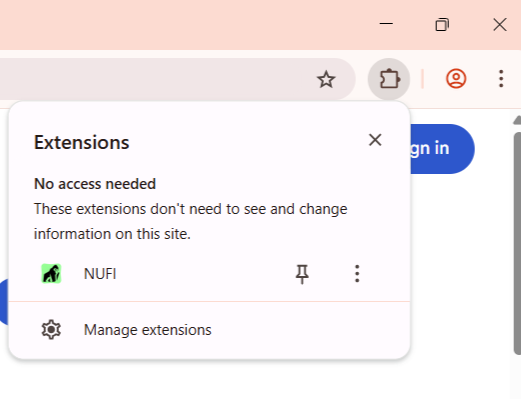
Click the Extensions icon in the top right of the browser and click on NUFI.
If you're using the web wallet, go to wallet.nu.fi.
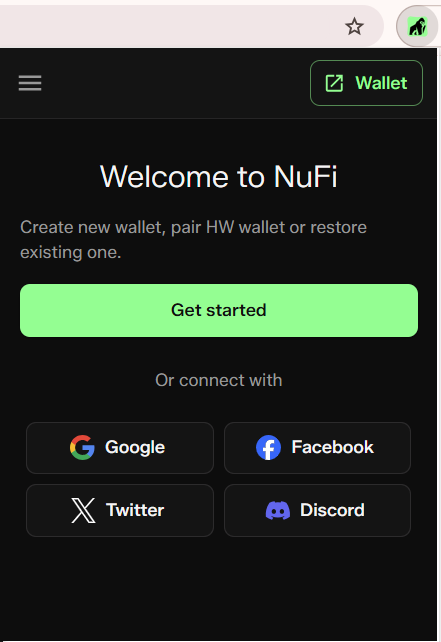
Step 3: Log in
- Choose a social account and log in.
- Accept the Terms and Conditions and click Continue.
Step 4: Open your wallet
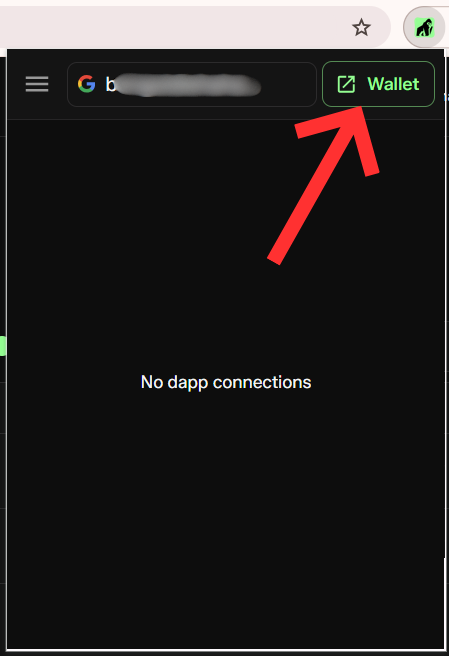
When you've logged in, you'll see the NUFI wallet popup shows:
- any decentralized apps (DApps) you're currently connected to
- a 'Wallet' button: click this to open your wallet
Step 5: Enable blockchains
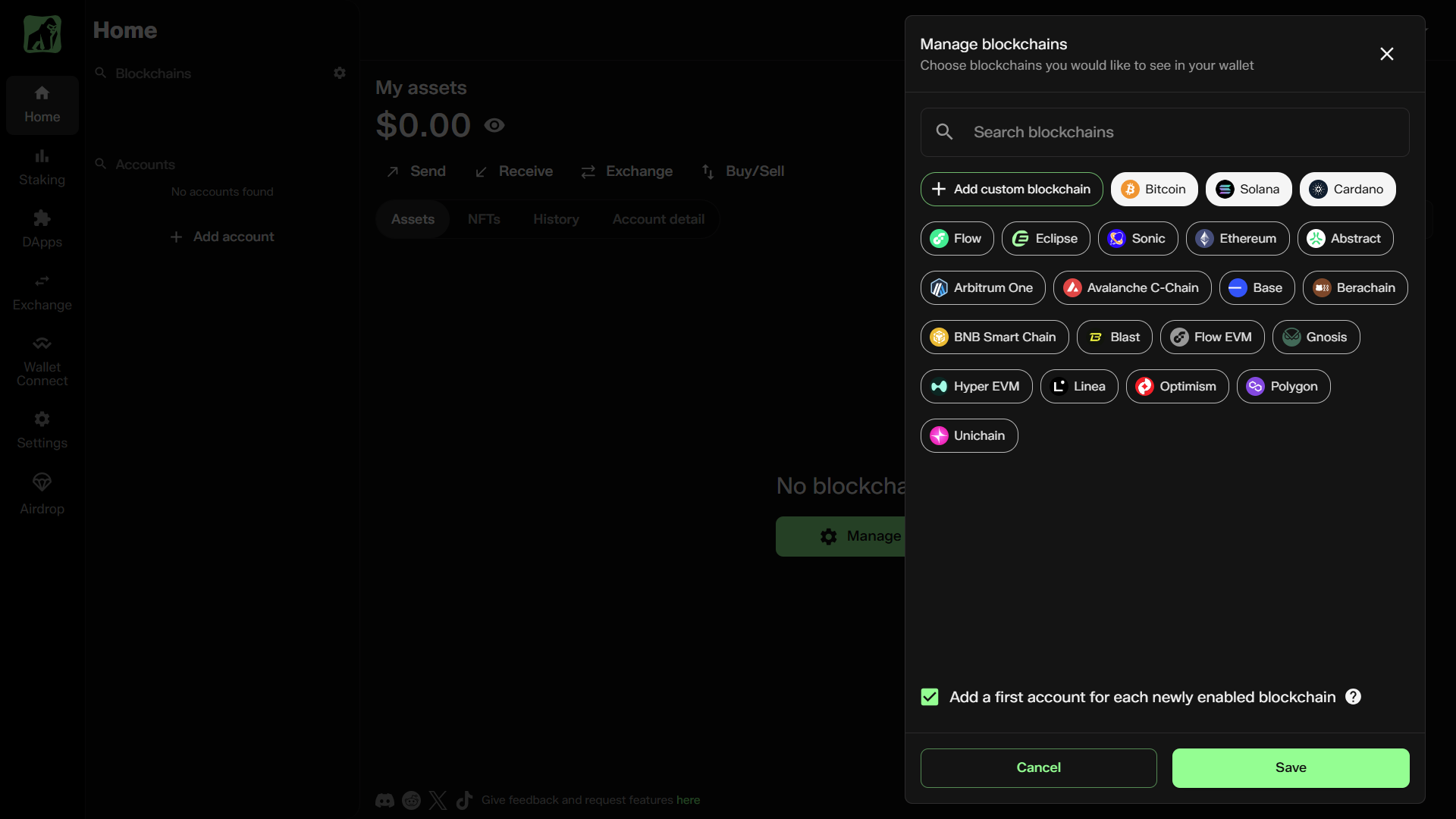
When your wallet opens, click 'Manage blockchains'. You'll see the different blockchains that NUFI supports (with an option to custom-add EVM chains).
Select which blockchains you want to enable; you'll create a new account for each selected chain.
Next steps:
- Buy crypto with a credit card, Apple/Google Pay, bank transfer and other options. Learn more about this here.
- Click 'DApps' on the left side; browse hundreds of decentralized apps (built on the blockchain) and connect with your NUFI wallet to use them.
- Check out the things you can do with NUFI wallet in other parts of this knowledge base.
Good to know:
- Each social account creates a different wallet; if you have 2 different Google accounts, they will create Wallet A and Wallet B. Log in with the same account each time to access the same wallet.
- If you lose access to your social account, you may lose access to your funds; we recommend writing down your wallet's 24-word backup phrase in case this happens: find it in wallet Settings.
- For an extra layer of protection, we recommend enabling 2FA in your social account's privacy settings.
How does this all work?
At the heart of this is technology built by Web3Auth. When you log in with a social account for the first time, a private key (which is uniquely yours and distinguishes your wallet from other wallets) is generated and split into chunks (called shards). These shards are stored securely (and separately) by nodes of a decentralized network.
When you log in, the shards are transmitted securely to your device and reconstructed into your complete private key to grant access to your wallet.