
Pair your Trezor with NUFI to manage its Bitcoin, Solana, Tron, Cardano, Ethereum/EVM and SVM accounts in NUFI's interface. Setup takes about a minute. See all supported chains.
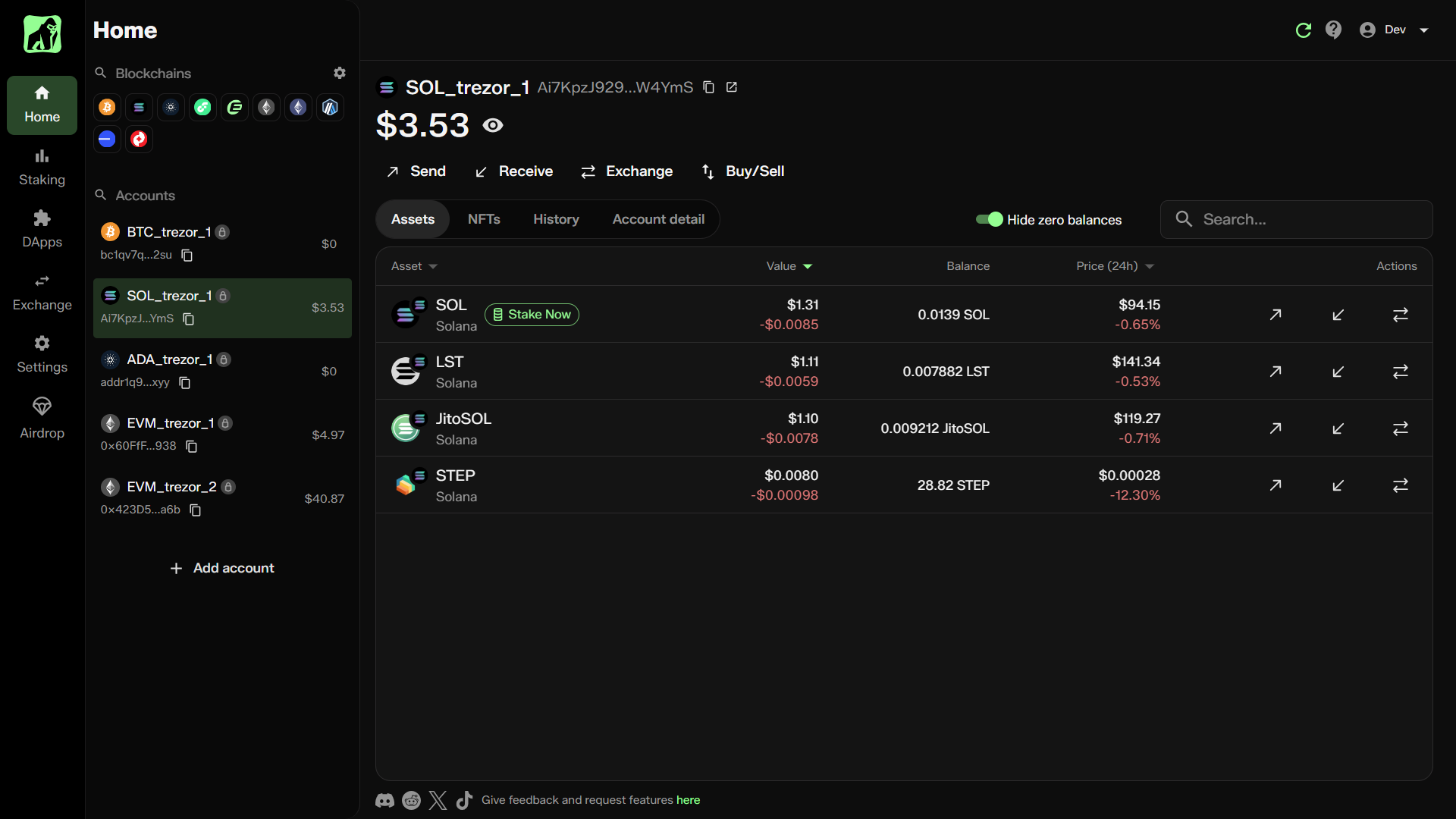
What you can do
- Send and receive assets on hundreds of chains
- Stake ADA and SOL directly on-chain
- Connect to DeFi and other Dapps
- Swap tokens on Solana and Cardano DEXes
- Exchange 1,000+ assets across 185 blockchains (via NEAR Intents, Swapkit and Changelly)
- Buy and sell crypto by card, Apple/Google Pay, PayPal and more
- Manage NFTs in a multi-chain gallery
- View and export transaction and staking history
- Manage Trezor device and hot wallet accounts side by side
- See all supported chains
Is it safe?
Your crypto and private keys never leave your Trezor. Pairing only shares public keys and addresses, so NUFI can show your balances and history. NUFI is non-custodial and can't access your funds. Always pair by cable. Never enter your seed phrase online.
Before you start
- Update your Trezor firmware. You may need to update Trezor Suite first.
- Close Trezor Suite completely.
- Allow popups and redirects in your browser so Trezor Connect can open.
Setup
1. Choose a NUFI version
- Browser extension: connects to all Dapps.
- Web wallet: no install needed, and connects to Dapps that support WalletConnect.
2. Create a profile
- Open NUFI and select Pair hardware wallet.
- Set a wallet name and password. This lets you log in without your Trezor, but you'll still need the device to sign transactions.
- Save the recovery phrase shown or skip this if you'll only use hardware wallet accounts.
3. Pair your accounts
- When NUFI opens, enable the blockchains you want to use.
- You can do this anytime by clicking the gear icon next to Blockchains in the top left.
- Go to Add Account (left side) → Add new HW account.
- Choose a blockchain, then select Trezor.
- Trezor Suite's Connect app will launch in a new window:
- Check the menu bar for a Trezor Suite popup (it may launch in the background)
- Grant permission for your browser to interact with Trezor Suite
- Confirm permission to export public keys - In NUFI, select the accounts to pair, name them if you like, and click Continue.
- On some blockchains, your Trezor can derive different accounts from the same recovery phrase using different derivation paths.
- NUFI shows each derivation path as a separate tab at the top when you import accounts.
Repeat step 3 for each blockchain. You can add existing or new accounts at any time via Add Account at the bottom of the accounts list.