
This article explains how to set up a NUFI wallet and move your crypto from a centralized exchange to your NUFI wallet.
Important: from July 1st 2026, new MiCA regulations mean that many centralized exchanges (that don't secure a CASP licence) will no longer serve EU users.
To avoid losing access to your crypto, consider moving it to a non-custodial wallet like NUFI. Non-custodial means there's no middleman:
- You alone control your wallet's private keys
- You own your crypto completely; only you can access, manage or transfer your crypto
- Your wallet can't ever be frozen or restricted
- There's no registration or KYC; it's anonymous, private and secure
Learn more about NUFI wallet.
Step 1: Setup
Download NUFI's browser extension wallet or open NUFI's web wallet (see the difference here).
Step 2: Create a new wallet
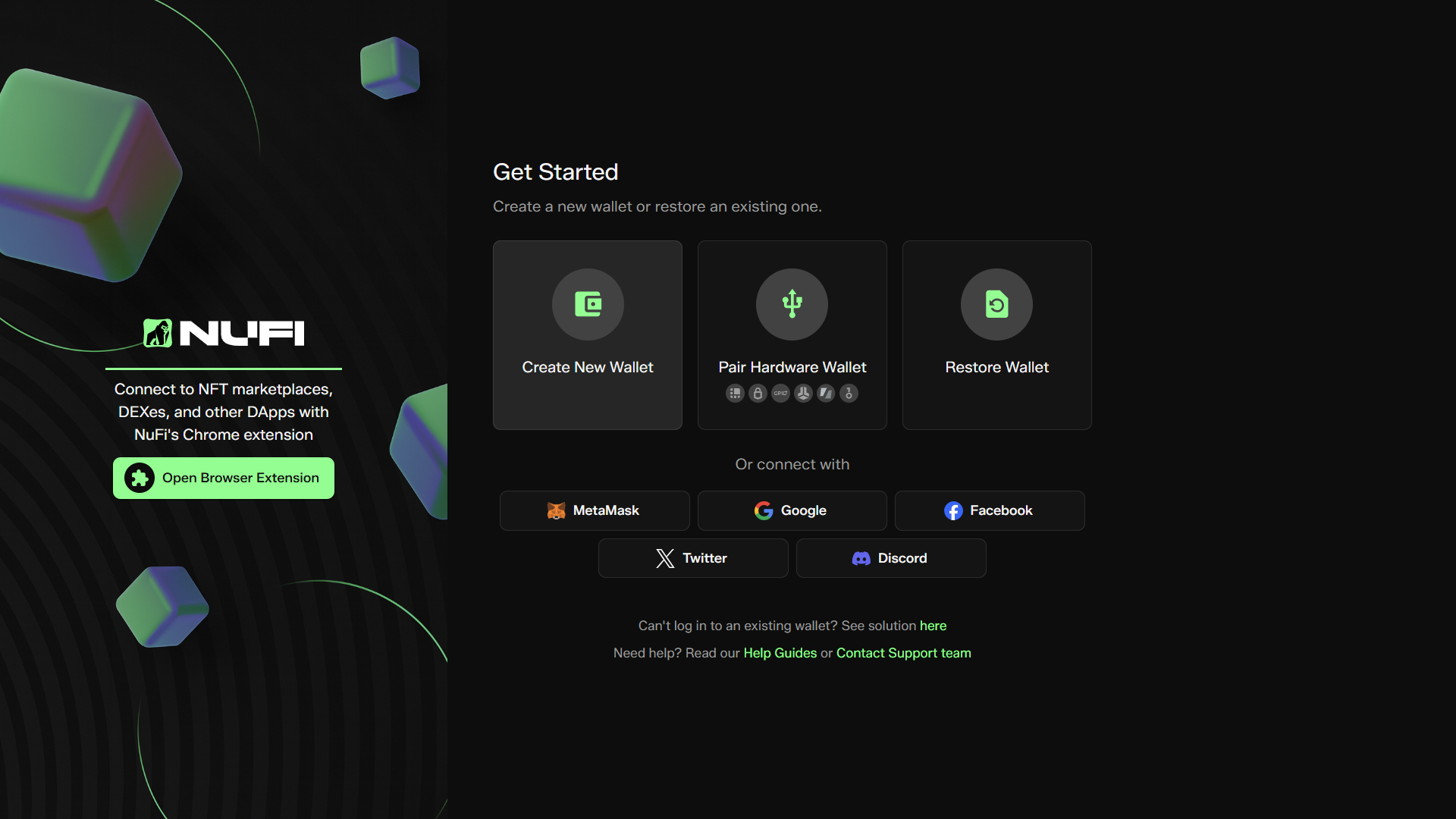
Open NUFI wallet and select 'Create New Wallet' then 'No, I don't have a hardware wallet'
- Log in quickly when you open NUFI
- Create multiple wallet profiles
Step 4: Write down and confirm your recovery phrase
Your 15-word recovery phrase (also known as a seed phrase) is your wallet's backup. You can use it to restore your wallet (and crypto) into NUFI or another non-custodial wallet.
If you lose your recovery phrase, you may lose access to your funds, so:
- Store this phrase safely offline (not on your computer or online)
- Do not share your recovery phrase with anybody, ever
- NUFI support staff will never ask you for your recovery phrase
- Your recovery phrase cannot be restored by NUFI if you lose it
- Learn more about your recovery phrase here
Step 5: Enable blockchains
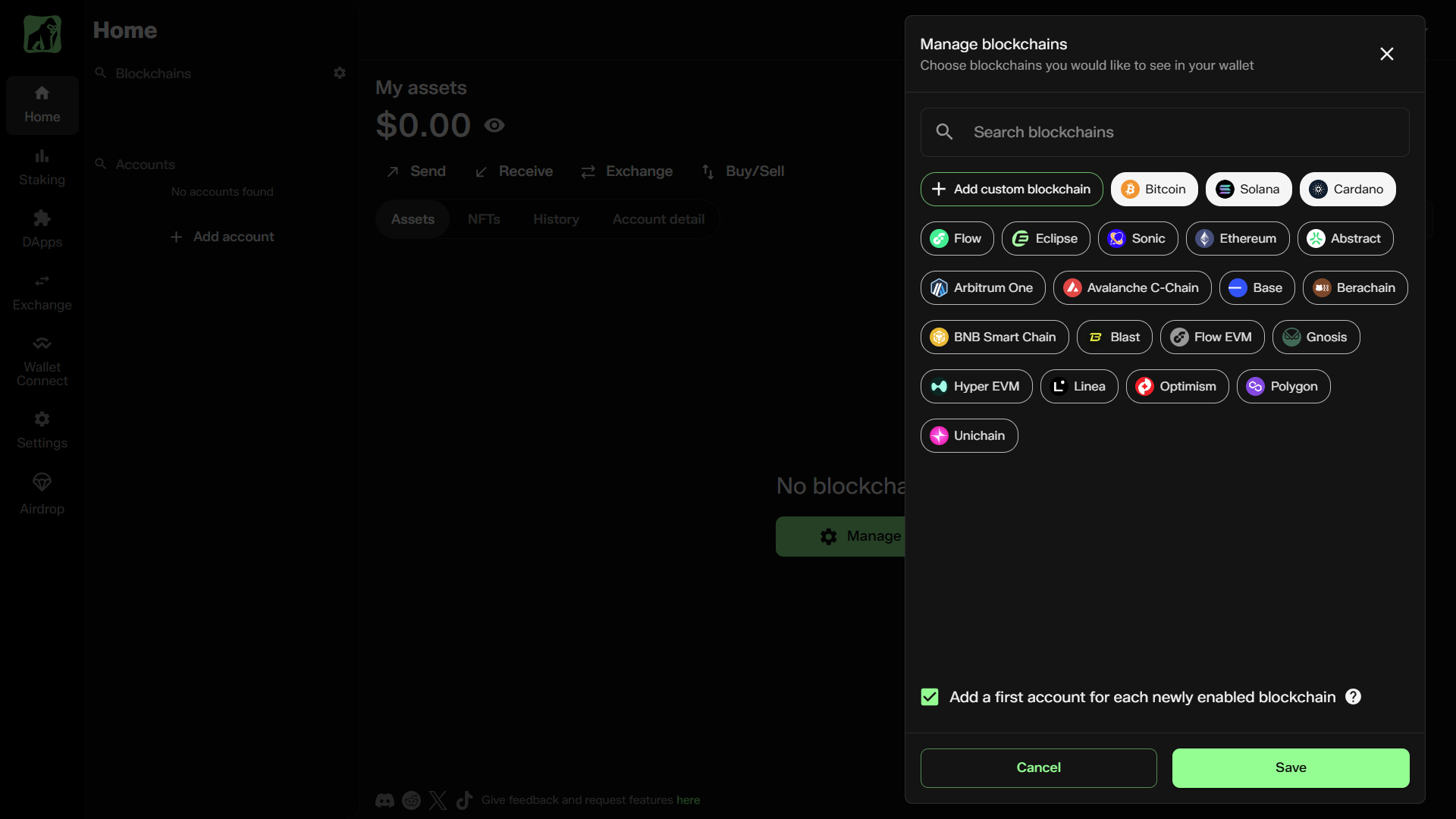
When your wallet opens, click 'Manage blockchains'.
- Select which blockchains you want to use: you'll create a new account for each selected chain.
- If you want to store crypto on a chain that's not listed, click 'Add custom blockchain' and enter the chain's details to add it manually. Please note, only EVM chains can be added manually.
Step 6: Move crypto from an exchange to NUFI
To transfer (withdraw) your crypto from an exchange to your NUFI wallet, the process is identical for most exchanges. This process must be completed separately for each crypto asset.
Important: each blockchain in your NUFI wallet has its own unique account, with a unique address. When you withdraw a crypto token from an exchange, it will be sent to the address you specify, so always ensure that you're using the correct account and address when withdrawing.
If you need assistance, ask in our Discord server or contact us by email at [email protected].
How to withdraw assets from an exchange into your NUFI wallet:
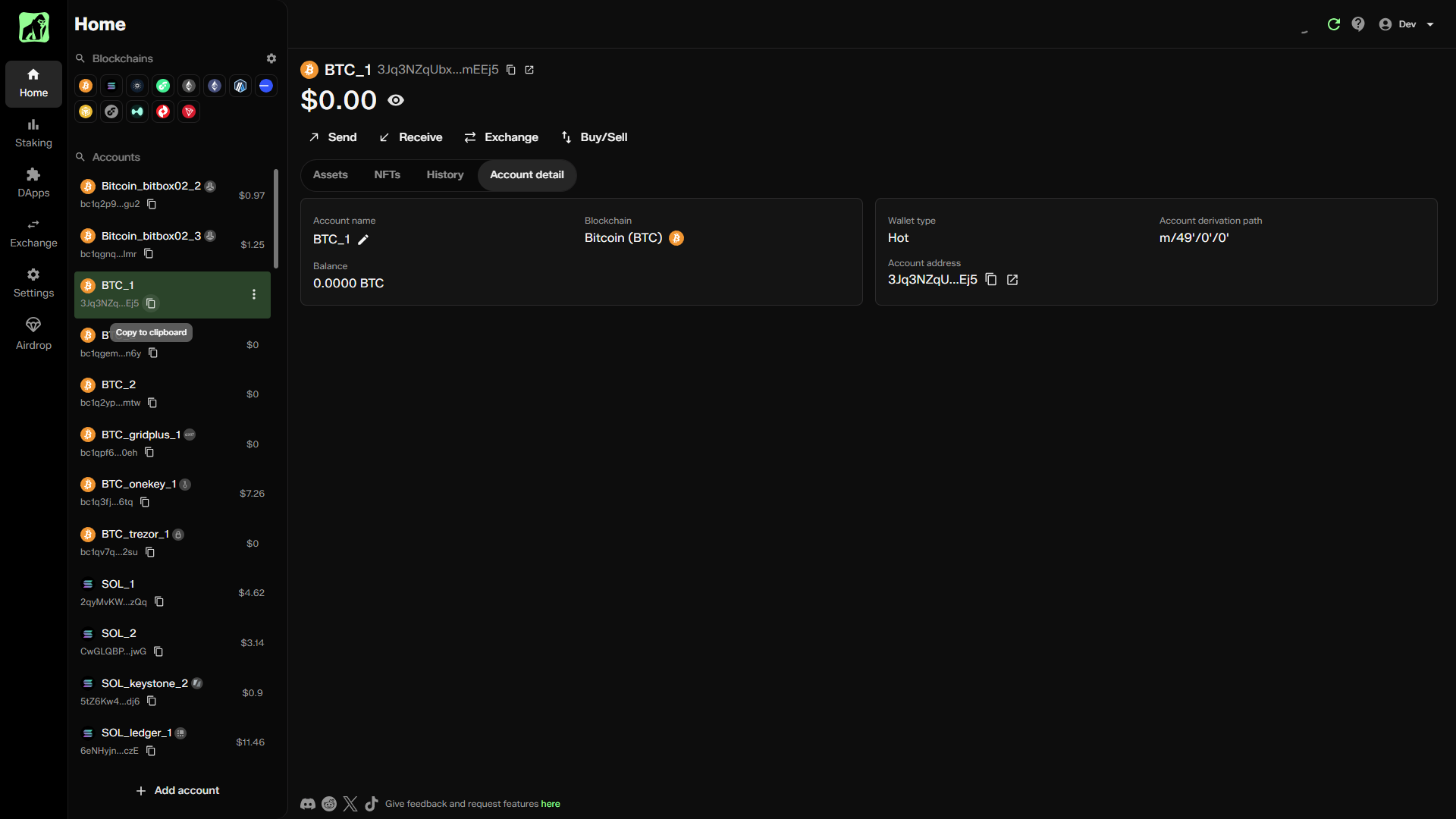
- Open your NUFI wallet. On the left side, find the corresponding account for the crypto asset you want to withdraw from the exchange.
If you didn't yet create an account for that blockchain, click 'Add Account' at the bottom, and select 'Add new account'. Choose the blockchain that matches the token you want to withdraw.
Important: if you're withdrawing a Solana token (e.g. SOL, JUP, TRUMP, etc), use a Solana account; for a Bitcoin token (BTC, DOG, ORDI, etc), use a Bitcoin account, and so on. - Below the account's name, you'll see its address, e.g. 3Jq3NZ...EEj5: click the clipboard icon to copy this address to your clipboard:
- In the centralized exchange, find the asset you want to withdraw, and click 'Withdraw'.
- Select the blockchain that you want to use to withdraw the token.
-Often, there is only one option, as many tokens exist on only one blockchain.
-However, for stablecoins (like USDT and USDC) and tokens that exist on multiple chains, you may need to choose between blockchains.
-Select the blockchain that matches the account you have in your NUFI wallet.
-You can also check which blockchain a token uses on Coin Gecko or CoinMarketCap.
-If you need help, ask in our Discord server or contact us by email at [email protected]. - Paste in the address you want to withdraw the crypto to; this should be the address of your account in NUFI wallet. Double-check that the address that's pasted matches the address displayed in your wallet.
- Choose an amount to withdraw and confirm. You may want to do a test withdrawal first, i.e. withdraw a very small amount, check that it arrives safely, and then withdraw the remainder.
It can between 30 seconds and 30 minutes for the crypto to arrive in your wallet, depending on what blockchain is being used and how busy the exchange is. If the crypto hasn't arrived after 24 hours, contact the exchange directly.
Important: NUFI wallet refreshes itself periodically, but you may need to refresh your wallet manually before a new token appears. You can do this by clicking the Refresh icon at the top of your wallet.